How can people WITHOUT an FH account process payments via the FH|shop?
FH JOANNEUM can use the FH|shop to handle various payment processes. For example:
contributions to conferences (e.g. GAB conference),
contributions to seminars (e.g. Summer Business School), courses and events (e.g. Advent wreath making)
etc.
Login / Registration
Prerequisite: You have received a payment request as a link.
Click on the payment link that was sent to you.
The FH|shop login page opens.
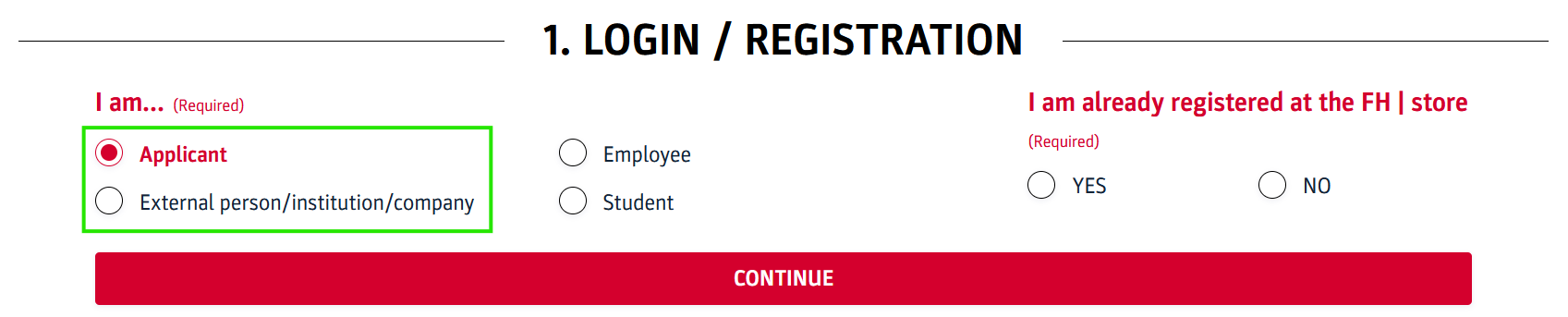
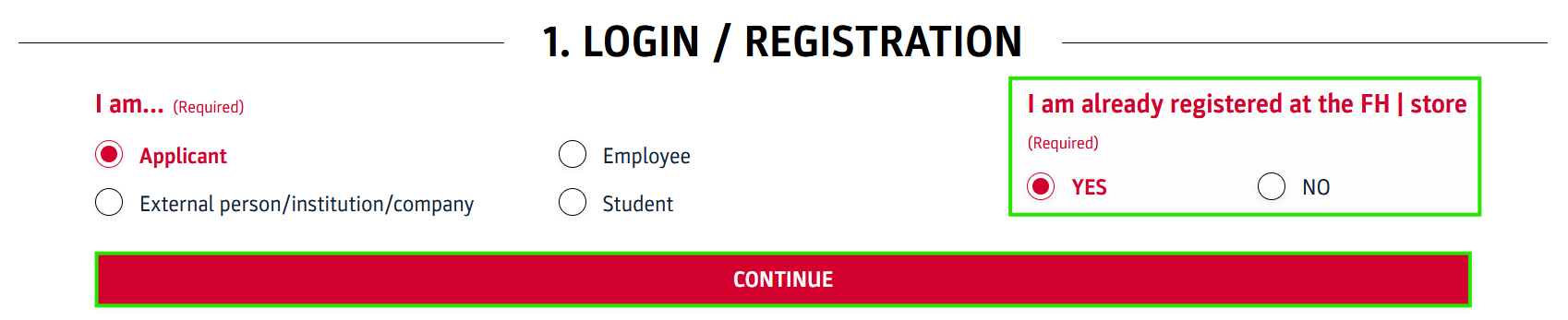
Without FH account: under ‘I am…’ select your group (applicant, external person/institution/company).
There are 2 scenarios:
You are logging in to FH|shop for the first time.
You have already registered for the FH|shop in the past.
Scenario 1: First-time registration in FH|shop
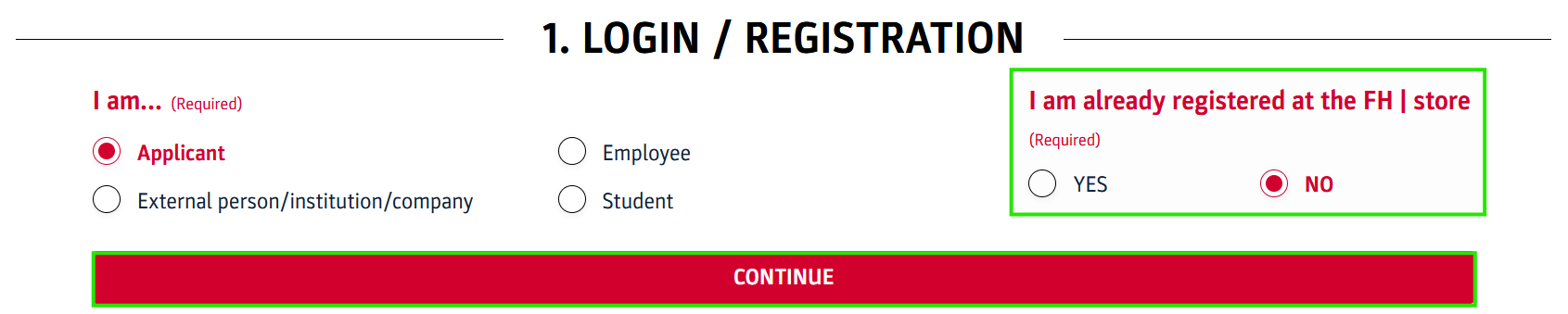
On the login/registration screen, select NO for the option ‘I am already registered at the FH|shop’ and then click on CONTINUE.
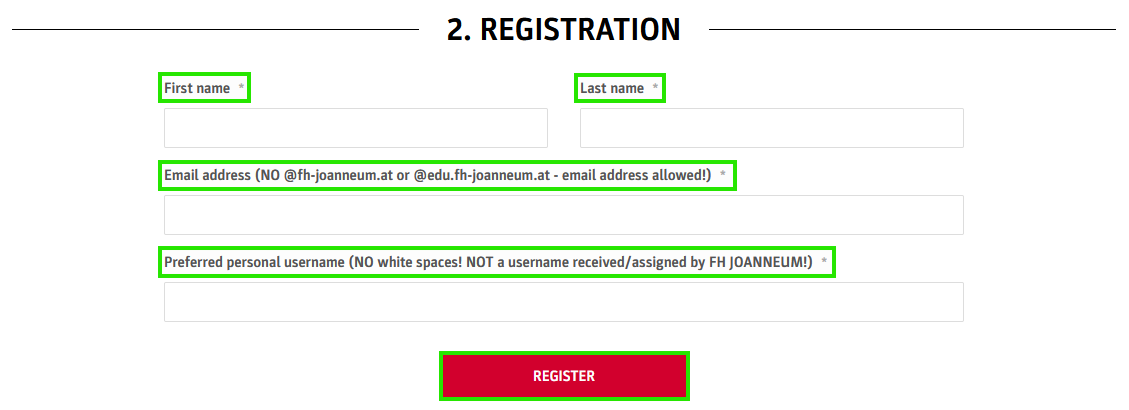
The registration screen opens.
Enter the following data:
First and last name
Your email address (NO @fh-joanneum.at or @edu.fh-joanneum.at e-mail address is allowed!)
a username (NO white spaces and NO usernames received/assigned by FH JOANNEUM!)
Click on REGISTER.
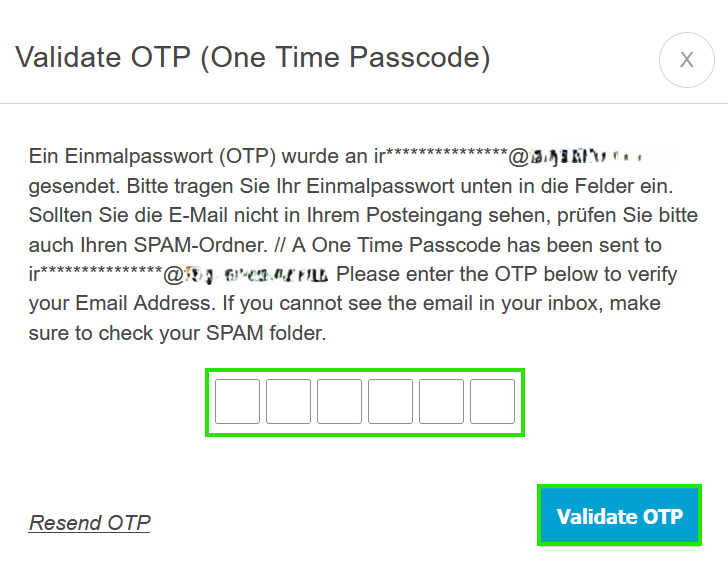
You will be logged in automatically using a one-time password (OTP), which is sent to the email address you provided.
Please enter the OTP in the fields provided and confirm by clicking Validate OTP.
Scenario 2: You have already registered as an applicant or external person/institution/company for the FH|shop in the past.
On the login/registration screen, select YES for the option ‘I am already registered at the FH|store’ and then click on CONTINUE.
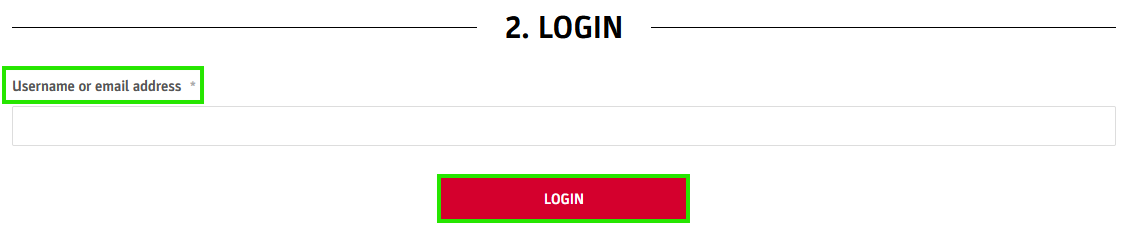
The login screen opens.
Enter your existing username oremail address and click on LOGIN.
You will be logged in automatically using a one-time password (OTP), which is sent to the email address you provided.
Please enter the OTP in the fields provided and confirm by clicking Validate OTP.
Checkout area
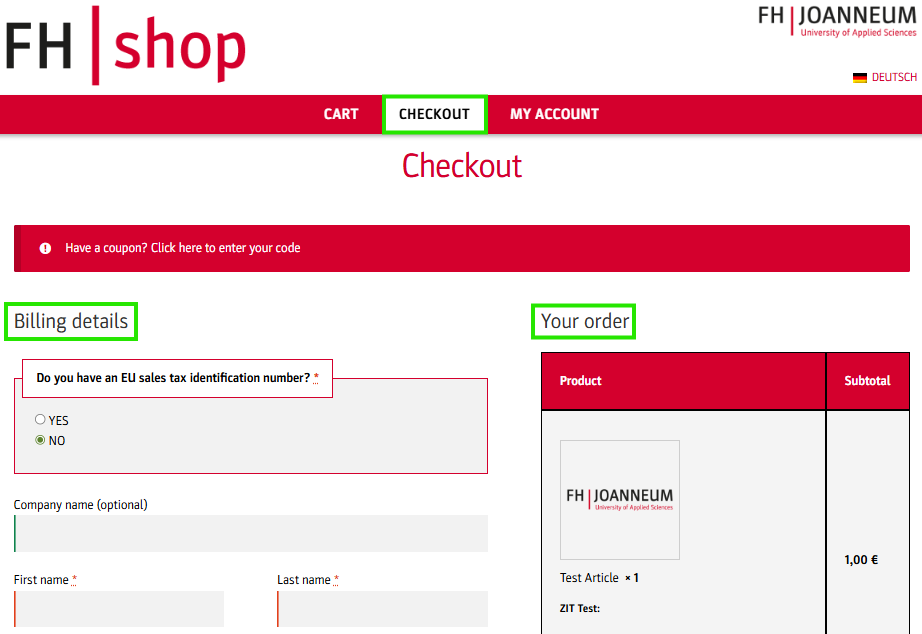
In the main menu click on CHECKOUT.
The checkout page of the FH|shop opens. The payable contribution is already in the Your order area.
In the billing details area, you can enter your personal data. Mandatory fields are marked with an asterisk.
NoteIf no amount appears on the checkout page, click again on the payment link sent to you.
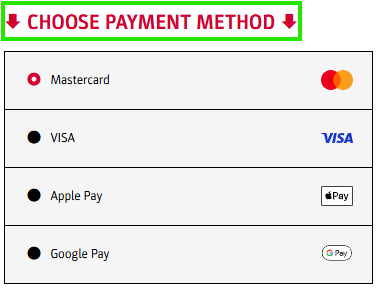
Choose the desired payment method.
NoteDepending on the product, EPS may also be available as a payment option.
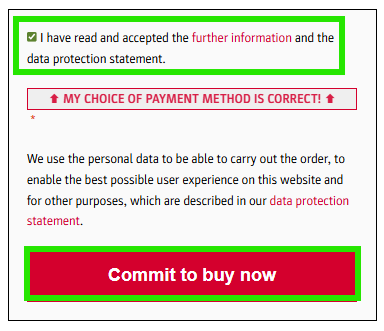
Confirm the privacy policy and the additional information.
Click on Commit to buy now.
Carry out the payment process with the selected payment method.
The order has been successfully completed when the confirmation page with the order details opens. You will also receive a confirmation e-mail with the invoice in PDF format.
Cart
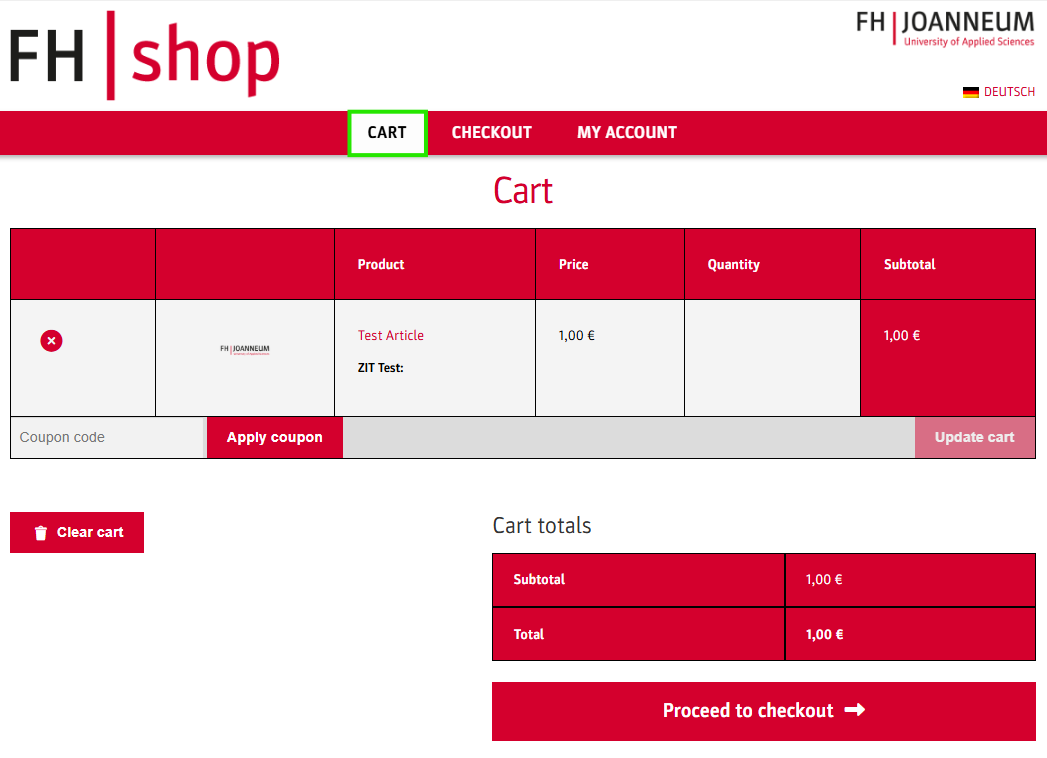
To check your order or make adjustments to your order, click on CART in the main menu.
NoteIf you encounter any issues with your cart, please empty it by clicking on the Clear cart button and then click on your payment link again.
Perform actions under MY ACCOUNT
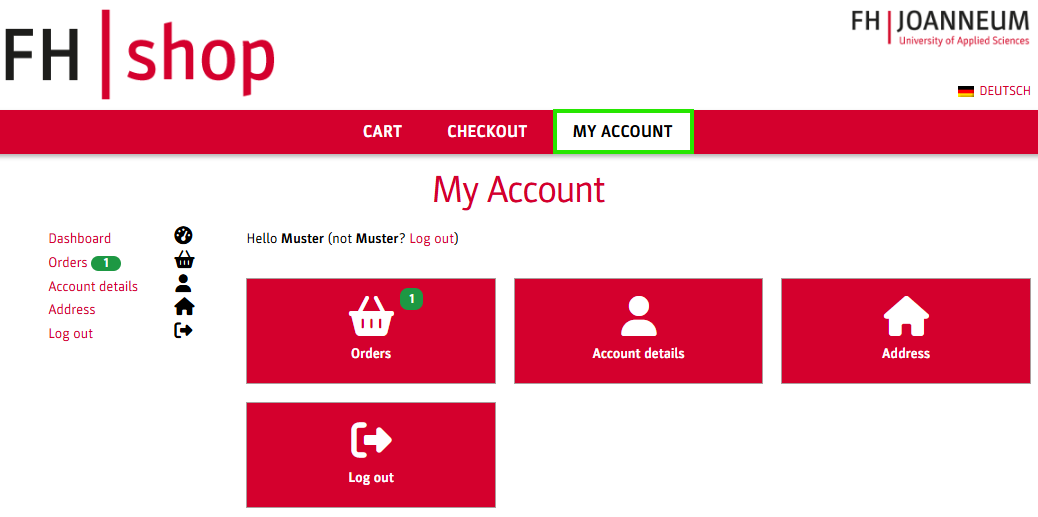
You can perform various actions under the menu item MY ACCOUNT:
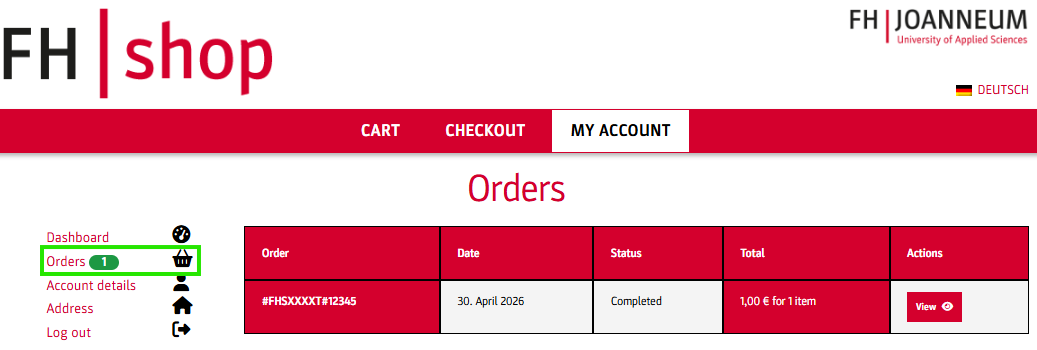
You can view your most recent orders under Orders – e.g. date, payment status (e.g. refunded, failed) etc. and download the invoice for each order.
NoteDepending on the product, you may request a refund for orders that have already been paid for.
You also have the option to:
change your name and email address under Account details.
edit your billing address and your EU VAT identification number under Address.
Log out from the FH|shop.
HelpFor further questions or concerns, please contact the helpdesk at helpdesk@fh-joanneum.at To help resolve your issue more quickly, please include a screenshot of your entire screen and send us the payment link to the order when reporting an error.