To request a refund, please make sure you are logged into the FH|shop using the same email address you used when making the payment.
NoteRefunds for orders that have already been paid for depend on the product. If you have any questions about this, please contact the sender of the payment link directly.
Once you have logged in, please follow these steps:
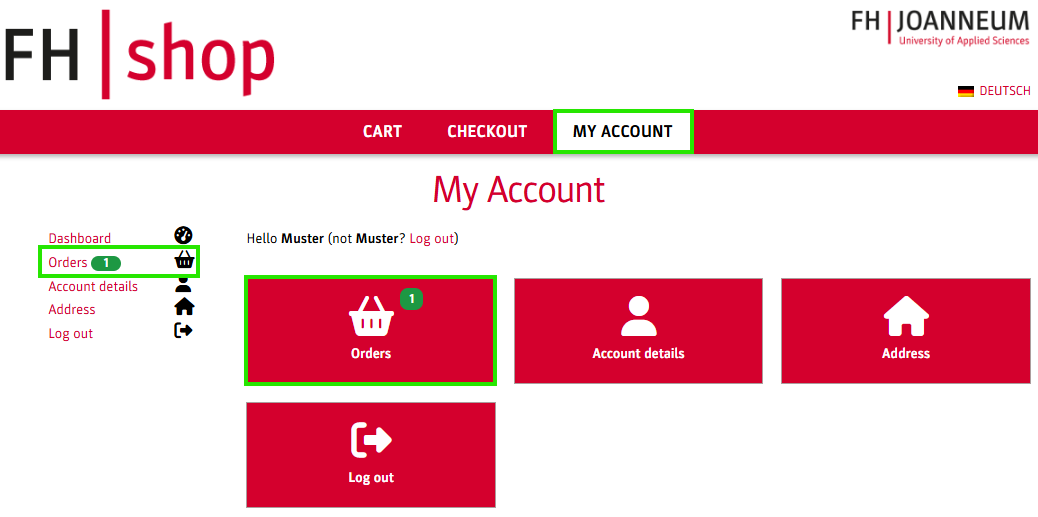
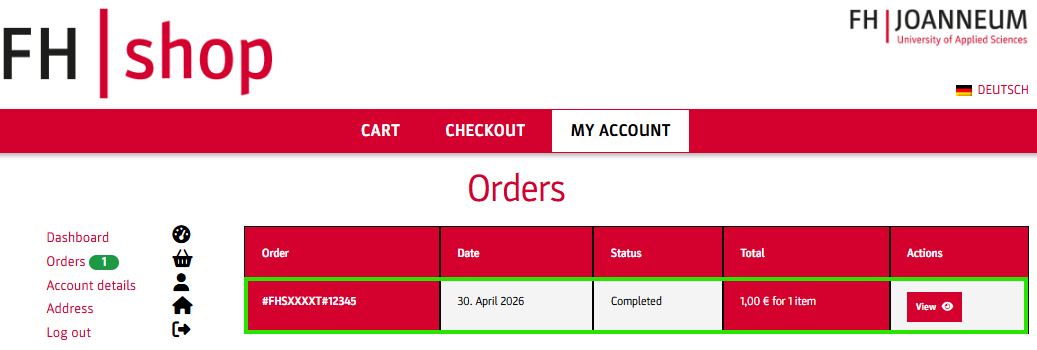
Go to the MY ACCOUNT menu item to view your order history.
Select the order in question.
Scroll to the bottom of the order page and click Open a new refund request.
HelpIf the ‚Open a new refund request‘ button does not appear on your order page, please contact the sender of the payment link.
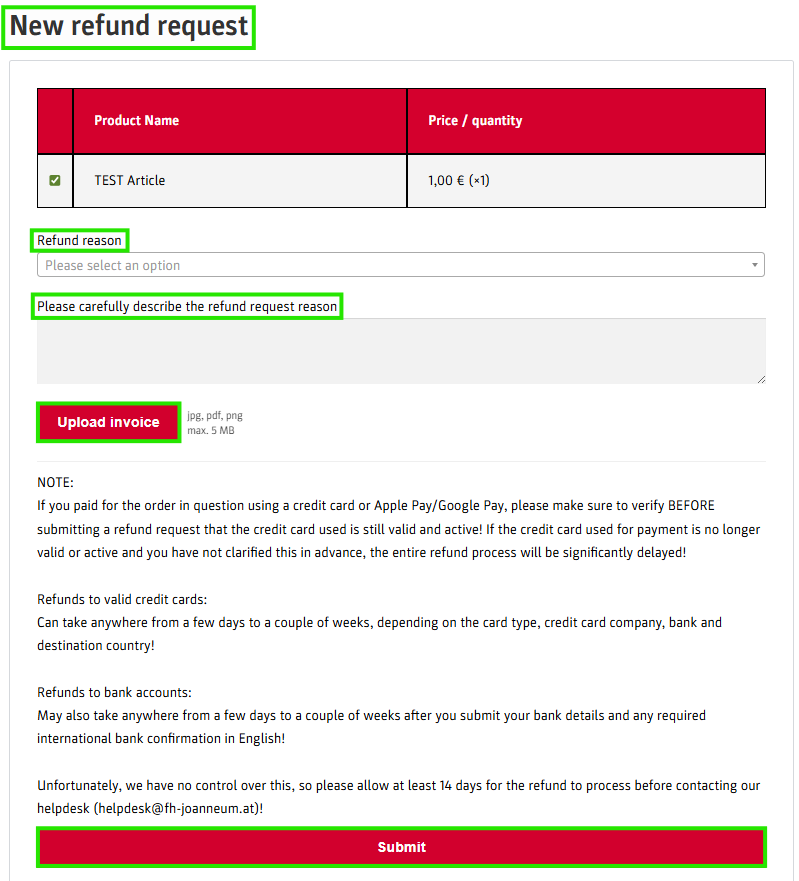
A dialog box will open with the following options:
Select the appropriate reason from the drop-down menu under ‘Refund reason’.
If you select ‘0ther’, please describe your reason in the field ‘Please carefully describe the refund request reason’.
Upload the corresponding invoice.
Confirm your request by clicking Submit.
Important note reqarding payment methodsIf you paid for your order using a Credit card, Apple Pay oder Google Pay, please verify that the original payment method is still valid and active before submitting your request. If the card is no longer active, the refund will be significantly delayed.